Expenses and reports the owner can actually read
Record every purchase against a category, a piece of equipment or a project, attach the receipt, and produce a tidy report for the owner, family office or management company. Included in the Crew plan.
Every expense, with the context the owner wants
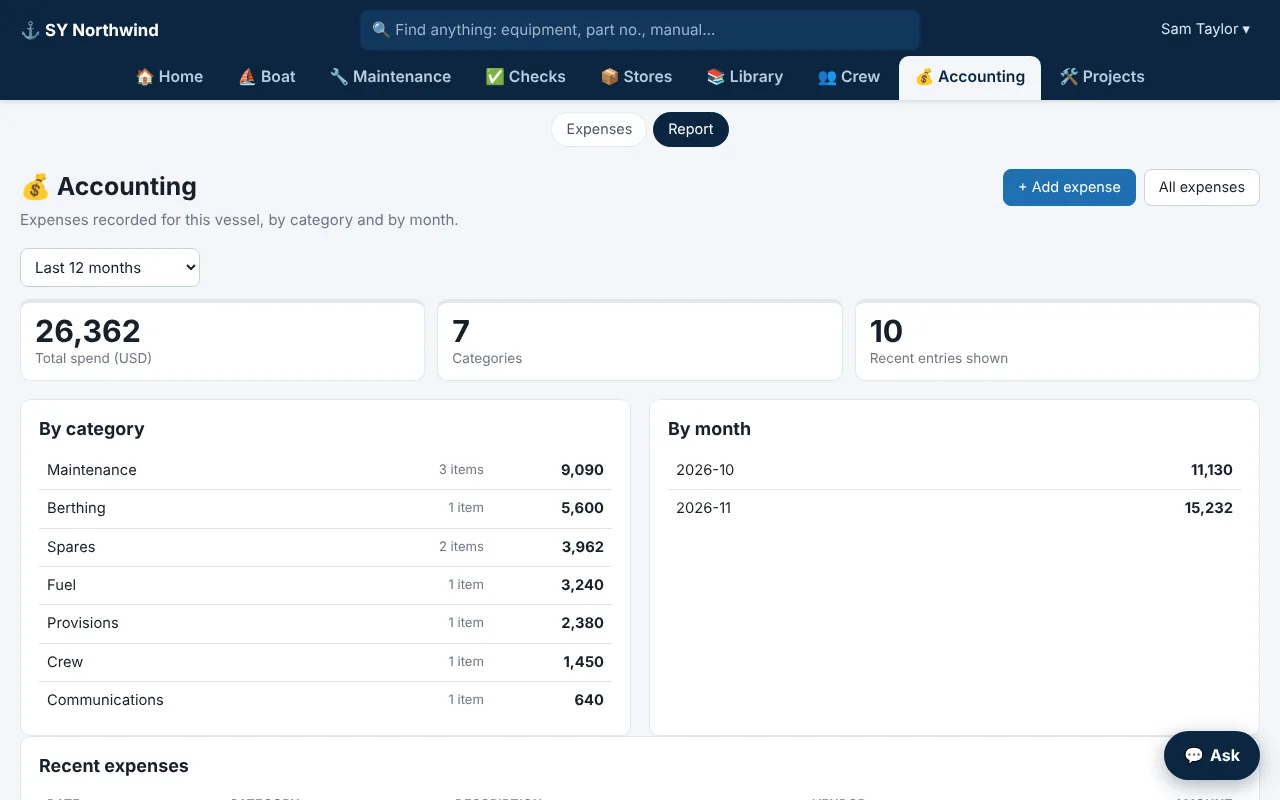
Record each expense with date, amount, currency, vendor, payment method and category, and link it to the piece of equipment or the project it was for. Attach the receipt. The accounting report groups the spending the way an owner or family office reads it.
- Categories, currencies, vendors and payment methods
- Expenses linked to equipment and projects
- Receipts attached to each line
- Printable report and CSV export
What it is, and what it isn't
Boat Console's accounting is built for the boat: knowing what the generator has cost this year, what the refit is spending against budget, and handing the management company a clean monthly report. It is part of the Crew plan.
It is not a full double-entry accounting system, a crew card or a payments platform. If you need those, a dedicated yacht finance platform is the right tool, and Boat Console's CSV exports make it easy to move expense data across. We compare the two honestly in Boat Console vs Voly.
Frequently asked questions
Is this a full accounting package?
It is expense tracking and reporting built for a boat: categories, currencies, receipts and reports. If you need a prepaid crew card, FX payments or charter APA management, a dedicated finance platform is the better fit, and you can export from Boat Console to it.
Can we export to the accountant?
Yes. Every list exports to CSV, and the accounting report prints cleanly.
Which plan includes accounting?
Accounting and expense reporting are part of the Crew and Superyacht plans.
More Boat Console features
Planned maintenance
Every job on the boat, scheduled by calendar, by engine hours, or both, whichever comes first.
Learn moreEquipment & spare parts
Every system, piece of equipment and component, with maker, model, serial and part numbers, where it lives on the boat, the manual that covers it, and the spares you carry for it.
Learn moreManuals & AI search
Stop digging through the ship's library or a shared drive.
Learn moreBoat plans & drawings
Put your general arrangement and system plans to work: pins on every piece of equipment, coloured by maintenance status, and every yard drawing and wiring diagram filed under its system number.
Learn moreStores & provisions
Spares, consumables and provisions with the locker they live in and a minimum stock level.
Learn moreChecklists & rounds
Engine room rounds, pre-departure and arrival checks, guest-ready walkthroughs.
Learn moreHours of rest (MLC)
Crew record their rest periods, Boat Console checks them against the 10-hours-in-24 and 77-hours-in-7-days limits and the split-rest rules, and you print a clean record when anyone asks.
Learn moreCertificates & documents
Vessel certificates, surveys, crew tickets and medicals, each with an expiry date and an early warning, alongside the boat's documents and contacts.
Learn moreProjects & refit
Plan a refit, a winter yard period or an upgrade as a project with tasks, contractor, dates and a budget, and see what it actually cost as expenses come in.
Learn moreAI fault diagnosis
Describe the problem, add a photo of the alarm panel, and work through it step by step with AI that reads the equipment's manuals, its service history, overdue maintenance and the spares you carry.
Learn morePassage log
Log every passage, delivery and berth move with times, miles, engine hours, fuel and people on board, and the engine's running hours move on by themselves, so hours-based maintenance falls due on time.
Learn moreYour data & security
Every vessel runs in its own private, isolated instance, never pooled with other boats.
Learn moreSee Boat Console on a demo boat
Click around a fully loaded demo yacht, no sign-up needed. When you're ready, your own boat is set up in minutes.